Evaluating the Rapid - Education Keynote Template for Modern Presentations
In the fast-paced environments of academia and corporate training, the quality of a presentation often hinges on more than just the speaker’s delivery. Visual aids serve as critical anchors for audience retention, yet creating them from scratch consumes valuable time that educators, administrators, and professionals rarely have in surplus. This is where specialized design assets like Rapid - Education Keynote enter the workflow. Designed specifically for educational institutions, universities, schools, and individual educators, this template offers a structured approach to visual storytelling without sacrificing aesthetic appeal.
For those managing course materials, university lectures, or even personal portfolios within the education sector, the balance between professionalism and creativity is delicate. A slide deck that appears too rigid can disengage students, while one that is overly decorative may undermine the seriousness of the subject matter. The Rapid - Education Keynote aims to bridge this gap by providing a foundation that is both modern and elegant, allowing users to focus on content rather than layout mechanics.
Design Philosophy and Visual Consistency
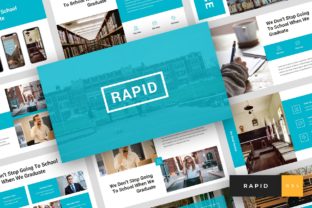
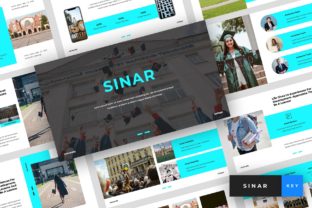
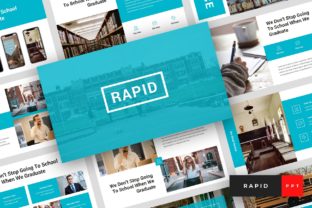
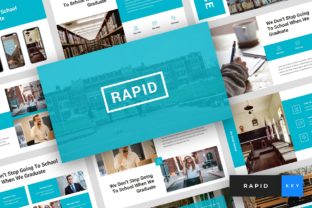
The primary strength of any presentation template lies in its visual consistency. When switching between slides, the audience should experience a seamless flow, not a jarring shift in fonts, colors, or alignment. Rapid - Education Keynote utilizes a set of modern, elegant, and unique layouts that adhere to contemporary design principles. The use of clean lines, ample white space, and professional typography ensures that the information remains the focal point.
One notable aspect of this template is its reliance on free web fonts. For many users, particularly those working across different devices or sharing files with colleagues, font compatibility is a persistent headache. By using recommended free web fonts, the template ensures that the presentation looks exactly as intended regardless of where it is opened. This attention to technical detail prevents the common issue of substituted fonts ruining the visual hierarchy of a slide.
The template includes 36 total slides, a number that strikes a practical balance. It is comprehensive enough to cover a standard lecture or a detailed project proposal but concise enough to avoid bloating the file size. Each slide is designed with a 16:9 wide-screen ratio, which is the current standard for most modern projectors, monitors, and digital displays. This ensures that the content utilizes the full screen real estate without awkward black bars or stretching.
Usability and Workflow Efficiency
Time efficiency is perhaps the most compelling reason to adopt a pre-designed template. The Rapid - Education Keynote is built on Master Slides, a feature that significantly streamlines the editing process. When a user modifies a master element, such as a logo placement or a color scheme, the change propagates across all relevant slides instantly. This global control is essential for maintaining brand consistency, whether for a university department or a private tutoring service.
The "drag and drop" functionality associated with picture placeholders further enhances usability. Instead of manually resizing and cropping images to fit specific shapes, users can simply drop their visuals into designated areas. The template handles the masking and scaling automatically. This feature is particularly beneficial for educators who may not have advanced graphic design skills but still wish to produce polished, high-quality materials. All graphics within the template are resizable and editable, offering flexibility for those who need to tweak specific elements to better suit their branding.
Moreover, the inclusion of a documentation file alongside the Keynote .KEY file provides a safety net for new users. Clear instructions on how to manipulate the master slides, replace images, and export the final presentation reduce the learning curve. This support structure is often overlooked in digital products but is crucial for ensuring a smooth user experience.
Versatility Beyond the Classroom
While the name suggests a strict focus on education, the versatility of Rapid - Education Keynote extends into several adjacent fields. The clean, professional aesthetic makes it suitable for corporate training sessions, workshop facilitators, and conference speakers who need to convey complex information clearly. The layouts are neutral enough to accommodate various industries while retaining an academic air of authority.
Additionally, the template serves as an effective tool for personal portfolios. Graduates, researchers, and academic professionals often need to present their work during job interviews or grant applications. The creative yet professional layouts allow individuals to showcase their achievements, research data, and teaching philosophy in a visually engaging manner. The ability to customize colors and fonts means that a user can tailor the look to reflect their personal brand without starting from a blank canvas.
For small business owners in the education sector, such as owners of tutoring centers or online course creators, this template offers a cost-effective way to maintain a high standard of visual communication. It eliminates the need to hire a designer for every new course module or promotional presentation, providing long-term value through repeated use.
Practical Considerations and Limitations
While Rapid - Education Keynote offers numerous advantages, it is important to approach it with realistic expectations. As with most presentation templates, the images shown in the demo are for preview purposes only and are not included in the downloaded files. Users must source their own imagery, which can be a time-consuming task if one does not already have a library of high-quality photos or illustrations. However, the placeholder system makes integrating new images straightforward.
Another consideration is the software requirement. This template is exclusively designed for Apple’s Keynote application. Users who primarily work in Microsoft PowerPoint or Google Slides will need to either switch software or attempt to convert the file, which can sometimes result in formatting errors. For those deeply embedded in the Apple ecosystem, this is a non-issue, but it does limit the audience for cross-platform teams.
Furthermore, while the template is easily editable, achieving a truly unique look requires some effort. Because the layouts are pre-defined, there is a risk that presentations may look similar to others using the same template if significant customization is not applied. Users are encouraged to leverage the editable graphics and color options to inject their own identity into the slides.
Who Benefits Most from This Template?
The ideal user for Rapid - Education Keynote is someone who values professionalism and efficiency. This includes:
- University Professors and Lecturers: Who need to update course materials regularly and want a consistent, academic look.
- School Administrators: Who present to boards, parents, or staff and require a polished, trustworthy aesthetic.
- Corporate Trainers: Who deliver educational content within businesses and need clear, engaging visuals.
- Freelance Educators and Tutors: Who need to create marketing materials or lesson plans that reflect a high level of professionalism.
- Students and Researchers: Who are preparing thesis defenses or conference presentations and want to make a strong visual impact.
In each of these scenarios, the template reduces the cognitive load associated with design decisions. By providing a robust framework, it allows the presenter to concentrate on the narrative and the data, confident that the visual delivery is handled competently.
Final Thoughts on Value and Implementation
Investing in a quality presentation template like Rapid - Education Keynote is less about buying a product and more about buying time and consistency. In professional and educational settings, the perception of competence is often influenced by the quality of visual materials. A well-designed slide deck signals preparation and respect for the audience’s time.
The combination of 36 versatile slides, editable graphics, and a user-friendly master slide system makes this template a practical asset for anyone involved in knowledge dissemination. While it requires the user to provide their own content and images, the structural support it offers is invaluable. For those looking to elevate their presentations without investing in extensive design training or hiring external agencies, this template provides a reliable, elegant, and efficient solution. It stands as a testament to the idea that good design should facilitate communication, not complicate it.