Sinar University Keynote: A Modern Presentation Template
Presenting complex academic or professional ideas requires more than just solid content; it demands a visual framework that supports clarity and engagement. This is where Sinar - University Keynote steps in as a vital tool for educators, students, and creative professionals alike. While the name suggests an academic focus, this template transcends the traditional boundaries of classroom slides. It offers a sophisticated blend of modern elegance and functional design, making it suitable for a wide array of presentations beyond the lecture hall.
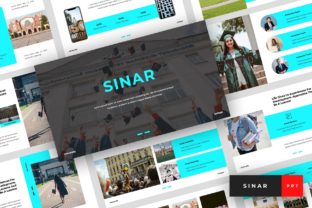
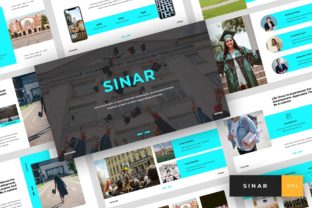
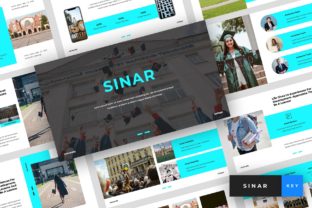
The visual personality of this template is defined by its clean lines and balanced whitespace. Unlike cluttered designs that distract from the speaker’s message, Sinar utilizes a minimalist approach that prioritizes readability. The layouts are crafted to guide the audience’s eye naturally across the screen, ensuring that key points land with impact. Whether you are defending a thesis, pitching a startup idea, or showcasing a personal portfolio, the aesthetic remains professional without being sterile. It strikes a delicate balance between creative flair and corporate restraint, which is often difficult to achieve in pre-made design assets.
Versatility Beyond the Classroom
One of the most compelling aspects of Sinar - University Keynote is its adaptability. While it is optimized for university and college environments, its utility extends far into the realms of business and personal branding. For entrepreneurs and small business owners, the template serves as an excellent foundation for investor decks or quarterly reviews. The structured layouts help organize data and narratives logically, which is crucial when trying to convey value propositions quickly.
For marketers and content creators, the template provides a ready-made structure for social media carousels or digital lookbooks. By exporting slides as high-resolution images, you can create consistent visual content for platforms like LinkedIn or Instagram. The modern typography and elegant spacing ensure that your brand identity remains cohesive across different media. Even hobbyists and crafters can leverage these slides to document their projects, creating visually appealing portfolios that highlight their work without requiring advanced graphic design skills.
The inclusion of thirty-six unique slides means you are unlikely to run out of layout options. From title screens and agenda lists to image-heavy galleries and data visualization frames, the variety ensures that your presentation remains dynamic. This diversity prevents the "slide fatigue" that often sets in when audiences are subjected to repetitive formats. Each slide is designed to serve a specific purpose, allowing you to mix and match elements to suit the flow of your narrative.
Enhancing Brand Perception and Engagement
In today’s visual-centric world, the quality of your presentation materials directly influences how your audience perceives your professionalism. Using a polished template like Sinar - University Keynote signals attention to detail and respect for your audience’s time. It elevates the perceived value of your content, whether you are a student aiming for top marks or a consultant seeking new clients. Consistency in design fosters trust, and this template provides the uniformity needed to build a strong visual identity.
Readability is another critical factor where this template excels. The use of recommended free web fonts ensures that text remains legible even from the back of a large lecture hall or on smaller mobile screens. Good typography is not just about aesthetics; it is about communication efficiency. When fonts are easy to read, cognitive load decreases, allowing the audience to focus on the substance of your message rather than struggling to decipher the text. The hierarchical structure built into the master slides helps emphasize important points, guiding the viewer through the information in a logical sequence.
Moreover, the template’s editable nature allows for deep customization. You are not locked into a rigid format. Instead, you can adjust colors, images, and text to align with your specific brand guidelines or personal style. This flexibility is essential for maintaining authenticity. A generic look can make a presentation feel impersonal, but by tweaking the elements of Sinar, you infuse it with your unique voice. This personal touch enhances audience engagement, as people are more likely to connect with content that feels genuine and tailored.
Practical Guidance for Effective Use
To get the most out of Sinar - University Keynote, start by evaluating your content needs before diving into design. Map out your key messages and decide which slide layouts best support each point. For instance, use the image-heavy slides for case studies or portfolio pieces, and reserve the text-focused layouts for detailed explanations or quotes. This strategic approach ensures that the design serves the content, not the other way around.
When customizing the template, pay close attention to font pairing. Although the template comes with recommended fonts, you may want to experiment with different combinations to better suit your topic. If you are discussing a technical subject, a clean sans serif font might reinforce the modern, precise nature of the content. For more creative or humanities-based topics, a serif font could add a touch of tradition and authority. Always test your chosen fonts for readability at various sizes to ensure they remain clear in different viewing contexts.
Another practical tip is to leverage the picture placeholders effectively. High-quality visuals can significantly boost engagement, but they must be relevant and well-integrated. Avoid using generic stock photos that do not add value. Instead, use original images, charts, or diagrams that directly support your narrative. The drag-and-drop functionality makes it easy to swap out placeholder images, so take advantage of this feature to keep your presentation fresh and relevant.
Finally, consider the technical aspects of your delivery. The template is based on master slides, which means changes made to the master will propagate throughout the presentation. This feature is invaluable for maintaining consistency, especially if you need to make last-minute adjustments to colors or fonts. Ensure you have the necessary software, specifically Keynote, to open and edit the .KEY file. Review the included documentation file for any specific instructions or tips provided by the creator to streamline your workflow.
In conclusion, Sinar - University Keynote is more than just a collection of slides; it is a comprehensive design solution for anyone looking to communicate ideas with clarity and style. Its modern, elegant layouts provide a solid foundation for a wide range of applications, from academic lectures to business pitches and personal portfolios. By understanding its features and applying thoughtful customization, you can create presentations that not only inform but also inspire your audience. Whether you are a seasoned designer or a novice presenter, this template offers the tools needed to elevate your visual storytelling.