Kindergarten Google Slides Template: A Practical Guide for Educators and Early Learning Businesses
Creating a compelling visual narrative for early childhood education requires a delicate balance. The presentation must be engaging enough to capture the attention of parents and stakeholders, yet professional enough to convey trust and competence. This is where a specialized Kindergarten Google Slides Template becomes an invaluable asset. Unlike generic business decks, these templates are designed with the specific aesthetic and functional needs of pre-schools, kindergartens, and educational startups in mind.
The modern educator or administrator often finds themselves juggling multiple roles. You may be a teacher preparing for parent-teacher conferences, a principal pitching a new curriculum to the school board, or an entrepreneur launching a childcare center. In all these scenarios, time is a scarce resource. A well-structured template allows you to bypass the tedious process of designing slides from scratch, enabling you to focus on the content that truly matters: your educational philosophy and operational details.
Understanding the Design Philosophy
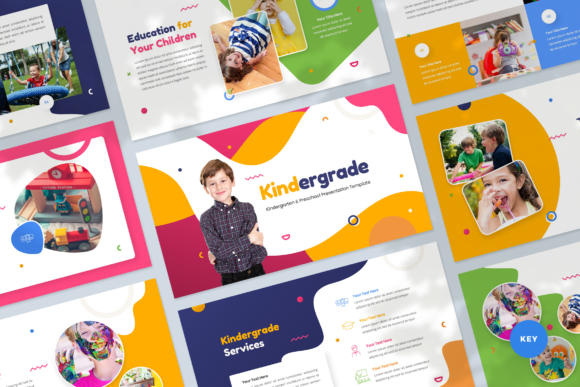
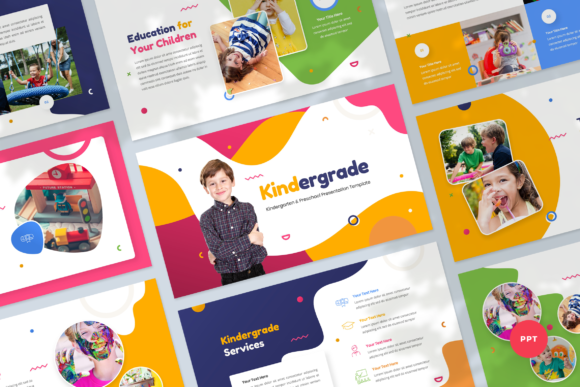
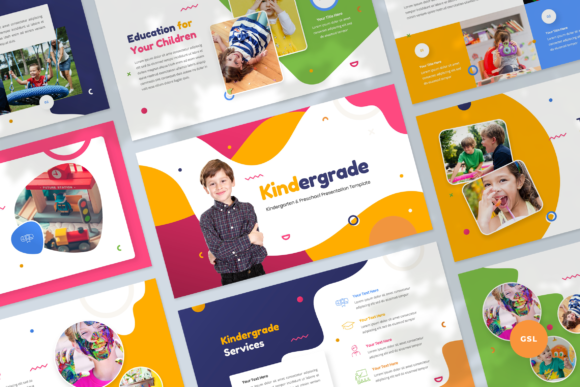
What distinguishes a high-quality Kindergarten Google Slides Template from standard corporate themes is its approach to visual communication. While business presentations often rely on stark minimalism or aggressive data visualization, early education presentations benefit from warmth, approachability, and clarity. The typical template in this category features sleek, modern lines combined with soft, inviting color palettes. This design choice is not merely aesthetic; it serves a psychological purpose. It signals to parents that the environment is safe, nurturing, and organized.
Most premium templates in this niche, such as those offering around 38 unique slides, provide a comprehensive toolkit. They include master slides that ensure consistency across the entire deck. This means that if you change a font or a primary color, the update propagates throughout the presentation. For individuals who lack advanced graphic design skills, this feature is critical. It ensures that the final output looks polished and cohesive, regardless of who edits the file.
Furthermore, these templates utilize free web fonts. This is a significant practical advantage. When sharing a Google Slides link or exporting to PDF, you do not need to worry about font compatibility issues. The text renders correctly on any device, ensuring that your message is received exactly as intended. The use of resizable and customizable graphics also means that you can adapt icons and illustrations to fit your specific branding without losing image quality.
Evaluating Fit: Who Benefits Most?
Determining whether this type of template is the right tool for your project involves assessing your specific audience and goals. The Kindergarten Google Slides Template is particularly well-suited for three primary groups:
- Educational Institutions: Pre-schools and kindergartens looking to present annual reports, enrollment statistics, or facility upgrades to boards or investors.
- Teachers and Staff: Educators who need to create engaging materials for parent orientation nights, showcasing classroom activities, learning outcomes, and safety protocols.
- EdTech Startups and Service Providers: Companies targeting parents or schools with new products, apps, or services related to early childhood development.
For these users, the template acts as a bridge between creativity and professionalism. It allows you to showcase data—such as enrollment growth or student progress metrics—within a framework that feels appropriate for the subject matter. A sterile, corporate-style chart might feel out of place in a kindergarten context, whereas a template designed with educational nuances in mind integrates data seamlessly into the narrative.
Comparing Approaches: Custom Design vs. Templates
When considering your presentation strategy, you generally have three options: hiring a professional designer, building a deck from scratch, or using a specialized template. Each approach has distinct tradeoffs.
Hiring a designer yields the most unique result but comes with high costs and longer turnaround times. Building from scratch offers total control but demands significant time and design expertise. Many educators find themselves struggling with alignment, color theory, and layout consistency when starting from a blank canvas. This is where the Kindergarten Google Slides Template offers a compelling middle ground. It provides a professional foundation that can be customized quickly.
Compared to generic free templates found online, specialized paid or premium templates offer superior structure. Generic templates often lack the specific slide types needed for educational pitches, such as curriculum overviews, staff introduction layouts, or parent testimonial sections. A dedicated template includes these pre-built structures, allowing you to simply drag and drop your content. This efficiency can save hours of work, which is particularly valuable during busy academic periods.
Key Features and Technical Considerations
Before selecting a template, it is essential to review its technical specifications to ensure it meets your workflow requirements. Most modern templates are built for a 16:9 wide-screen ratio, matching the standard 1920x1080 resolution of most contemporary monitors and projectors. This ensures that your presentation will look sharp and fill the screen appropriately during live pitches or virtual meetings.
Another critical feature is editability. The best templates are based on master slides, meaning you are not just editing individual text boxes but working within a flexible system. Look for templates that include picture placeholders. These allow you to insert images of your facility, students (with permission), or staff, and they will automatically crop and fit into the designated design space. This "drag and drop" functionality simplifies the customization process significantly.
Additionally, consider the file formats included. While Google Slides is the primary platform, having access to a .PPTX file is beneficial for offline editing or for colleagues who prefer Microsoft PowerPoint. Comprehensive packages often include documentation files that guide you through the customization process, which can be helpful for users who are less familiar with slide masters and layout tools.
Limitations and When to Look Elsewhere
While a Kindergarten Google Slides Template is a powerful tool, it is not a universal solution. If your presentation requires complex animations, interactive elements, or highly specialized data visualizations that go beyond standard charts, a static template may feel restrictive. In such cases, you might need to supplement the template with custom-built slides or consider more advanced presentation software.
Moreover, if your brand identity is strictly defined with very specific color codes and typography that differ significantly from the template’s base design, extensive customization may be required. While these templates are editable, altering the core design language extensively can sometimes take as much time as building from scratch. It is important to choose a template whose base aesthetic aligns closely with your brand to minimize adjustment time.
It is also worth noting that images included in demo versions are typically for preview purposes only. You will need to source your own high-quality photography. For educational institutions, this means investing time in capturing authentic images of your environment and community, which adds genuine value to the presentation beyond the template itself.
Making the Final Decision
Choosing the right presentation resource ultimately depends on your priorities: speed, cost, uniqueness, and ease of use. For most professionals in the early education sector, the Kindergarten Google Slides Template offers an optimal balance. It reduces the cognitive load of design, allowing you to channel your energy into crafting a persuasive narrative.
By leveraging a template that is already optimized for your industry, you ensure that your first impression is one of professionalism and care. Whether you are pitching to new clients, presenting to parents, or compiling a business portfolio, the right visual framework can enhance your credibility and help you communicate your vision more effectively. Evaluate your specific needs, consider the time you have available, and select a tool that empowers you to present your best work without unnecessary friction.