Racing Against Time: A Guide to Machine Embroidery Design Formats
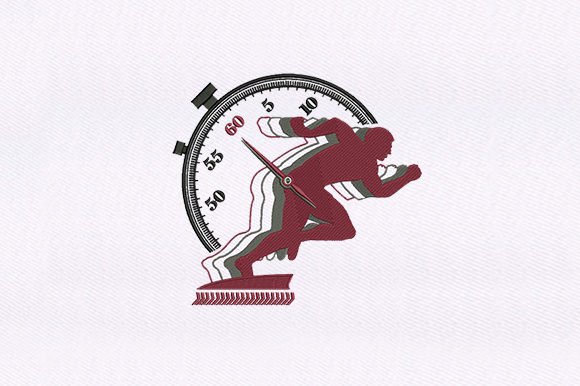
In the fast-paced world of digital textile creation, Racing Against Time is not merely a thematic concept but a practical reality for many embroidery professionals and hobbyists. This phrase often refers to the urgent need to convert, optimize, or select the correct file format under tight production deadlines. When a design must be stitched immediately, understanding the nuances of machine embroidery file formats becomes critical. The difference between a successful run and a tangled mess of thread often lies in choosing the right data structure for your specific hardware.
For those evaluating their workflow, recognizing the diversity of available formats is the first step toward efficiency. The landscape includes a wide array of proprietary and universal standards, such as DST, PES, JEF, EXP, HUS, VIP, VP3, XXX, PCS, PEC, TAP, DSB, DSZ, CND, ART, and the less common 10O. Each serves a distinct purpose within the ecosystem of computerized embroidery machines.
Understanding the Core Formats
To make informed decisions, one must categorize these formats by their origin and compatibility. DST (Tajima) is widely considered the industry standard for commercial machines due to its robustness and universal acceptance. If you are sending files to a third-party service or using older industrial equipment, DST is often the safest bet. Conversely, home users frequently encounter PES (Brother/Baby Lock) and JEF (Janome). These formats contain more metadata, such as color information and thread charts, which simplifies the setup process for consumer-grade machines.
Other notable formats include EXP (Melco), HUS (Husqvarna Viking), and VIP or VP3 (Husqvarna/Pfaff). While VIP is an older format, VP3 offers enhanced features for newer models. Singer users typically rely on XXX, while Bernina machines utilize ART. Understanding which format your specific machine reads natively is essential to avoid unnecessary conversion steps that can introduce errors.
Why Format Selection Matters in Time-Sensitive Projects
When racing against time, the primary goal is minimizing friction in the production pipeline. Converting a design from one format to another is not always a lossless process. Some conversions may alter stitch density, change pull compensation, or misinterpret color stops. For example, converting a complex VP3 file to a basic DST might strip away valuable editing data, leaving the operator with a rigid file that cannot be easily adjusted if issues arise during stitching.
Therefore, selecting a format that aligns with your machine’s native capabilities reduces the risk of errors. If your machine supports PES, working directly in PES eliminates the need for conversion software, saving valuable minutes. Similarly, using JEF for Janome machines ensures that hoop sizes and thread colors are accurately represented without manual re-entry.
Benefits and Tradeoffs of Universal vs. Proprietary Formats
The decision between universal and proprietary formats involves balancing compatibility with functionality. Universal formats like DST and TAP (Barudan) are highly portable. They work across a vast range of machines, making them ideal for businesses that handle diverse client requests. However, they lack detailed color information and editing capabilities. You cannot easily resize or recolor a DST file without specialized digitizing software.
Proprietary formats such as PES, PEC, HUS, and XXX offer richer data. They often include preview images, thread brand specifics, and editable parameters. This makes them superior for home users who value convenience and customization. The tradeoff is limited compatibility; a PES file will not run on a Tajima industrial machine without conversion. Additionally, formats like 10O, CND, DSB, and DSZ are niche and may require specific legacy hardware or obscure converters, adding complexity to the workflow.
Evaluating Your Needs: When to Use Which Format
Choosing the right format depends on your specific situation. If you are operating a small home-based business using a Brother machine, sticking to PES and PEC is logical. PEC files are particularly useful for quick previews on the machine’s screen, allowing for rapid selection without loading full data sets. This efficiency is crucial when managing multiple orders.
For industrial settings, DST remains the gold standard. Its simplicity ensures that the machine focuses purely on stitch execution, reducing processing load. If you work with Melco equipment, EXP is the native choice, offering precise control over stitch types. Meanwhile, users of modern Husqvarna Viking or Pfaff machines should prioritize VP3 for its advanced feature support, though maintaining backups in VIP may be necessary for compatibility with older units.
Situations where alternatives are worth considering include multi-machine environments. If you own both a Janome and a Singer, maintaining master files in a neutral, editable format (such as those used in digitizing software) allows you to export to both JEF and XXX as needed. This approach prevents quality degradation from repeated conversions between proprietary formats.
Practical Decision-Making Insights
To determine whether your current format strategy aligns with your goals, consider the following factors:
- Machine Compatibility: Verify which formats your machine reads natively. Consult your user manual to confirm support for formats like ART, HUS, or PCS.
- Workflow Speed: If speed is critical, minimize conversions. Use the native format of your primary machine to avoid potential data loss.
- Client Requirements: If you provide files to others, ask for their preferred format. Commercial clients often request DST or TAP, while home crafters may prefer PES or JEF.
- Editing Needs: If you anticipate making changes to the design after purchase, choose formats that retain editable data, such as VP3 or source files from digitizing software, rather than static formats like DST.
It is also important to note that some formats, like DSB and DSZ, are associated with specific older systems or niche brands. Unless you are maintaining legacy equipment, investing time in mastering these formats may yield diminishing returns. Focus instead on the most widely supported standards relevant to your current hardware.
Conclusion
Racing against time in embroidery production is less about haste and more about precision and preparation. By understanding the strengths and limitations of formats like DST, PES, JEF, EXP, HUS, VIP, VP3, XXX, PCS, PEC, TAP, DSB, DSZ, CND, ART, and 10O, you can streamline your workflow. Evaluate your machine’s capabilities, consider your clients’ needs, and prioritize formats that minimize conversion steps. This strategic approach ensures that when the clock is ticking, your designs stitch out perfectly, every time.